

Administration
Team settings, join requirements, plan, and admin areas at a glance.
Administration
In Administration, you manage basic team settings, join requirements, the plan, and admin tiles for individual areas.
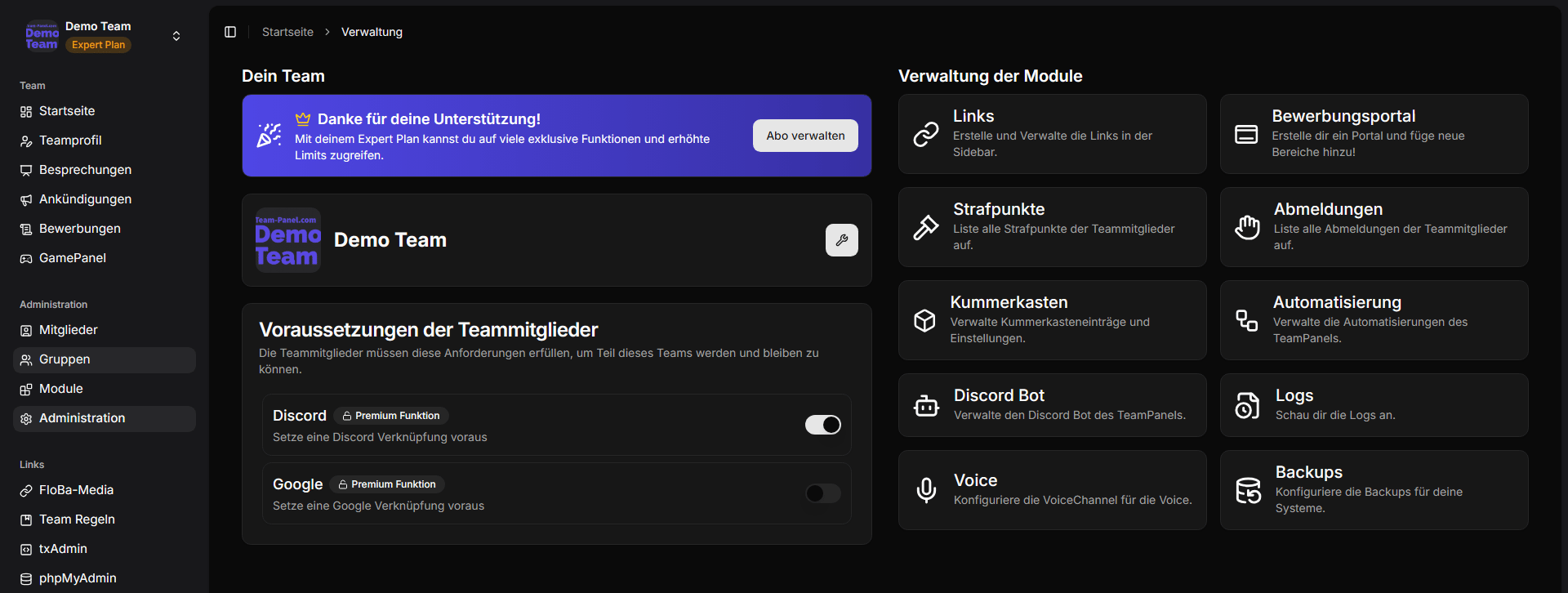
Team settings
Under team settings, you can configure among other things:
- Team name
- Logo / profile picture
- Language
- Timezone
These settings apply team-wide and appear e.g. on the homepage and in the team profile.
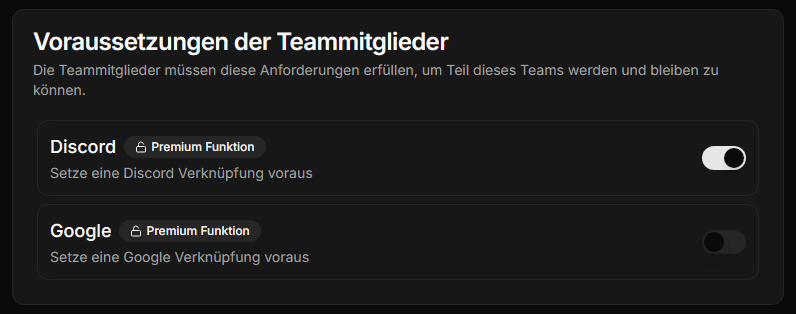
Join requirements
You can define which accounts or linked services members need before they are allowed to join the team — e.g.:
- Discord
- Minecraft
- Hytale
This is especially helpful if you use rank synchronization or game-related features.
Plan
On the administration page, you see the plan card with your team's current subscription. From there or via /plan, you can switch plans, start a trial, or cancel.
Learn more: Billing / Manage plan.
Transfer ownership & delete team
Transferring ownership and permanently deleting the team are sensitive actions. See Delete / transfer team for instructions.
Admin tiles (overview)
From Administration, you typically reach these areas:
| Area | Documentation / note |
|---|---|
| Links | Links |
| Portal (Application Portal) | Application Portal |
| Penalty points | Penalty points |
| Logoffs | Logoffs |
| Worry box | Worry box |
| Automation | Automation |
| Discord | Discord Bot |
| Logs | Team logs |
| Backups | Backups |
| API keys | API keys |
| Access documentation | Access documentation |
Manage modules
You enable and disable optional modules (Application Portal, GamePanel, Backups) under Administration → Modules.
Detailed guide: Modules.
Permissions
Many areas are always available but only appear for groups with the appropriate rights. You define rights under Groups.