

Module
Discord Bot
Verbinde deinen Discord-Server mit TeamPanel – Sync, Tickets, Moderation, Community-Features und mehr.
Discord Bot
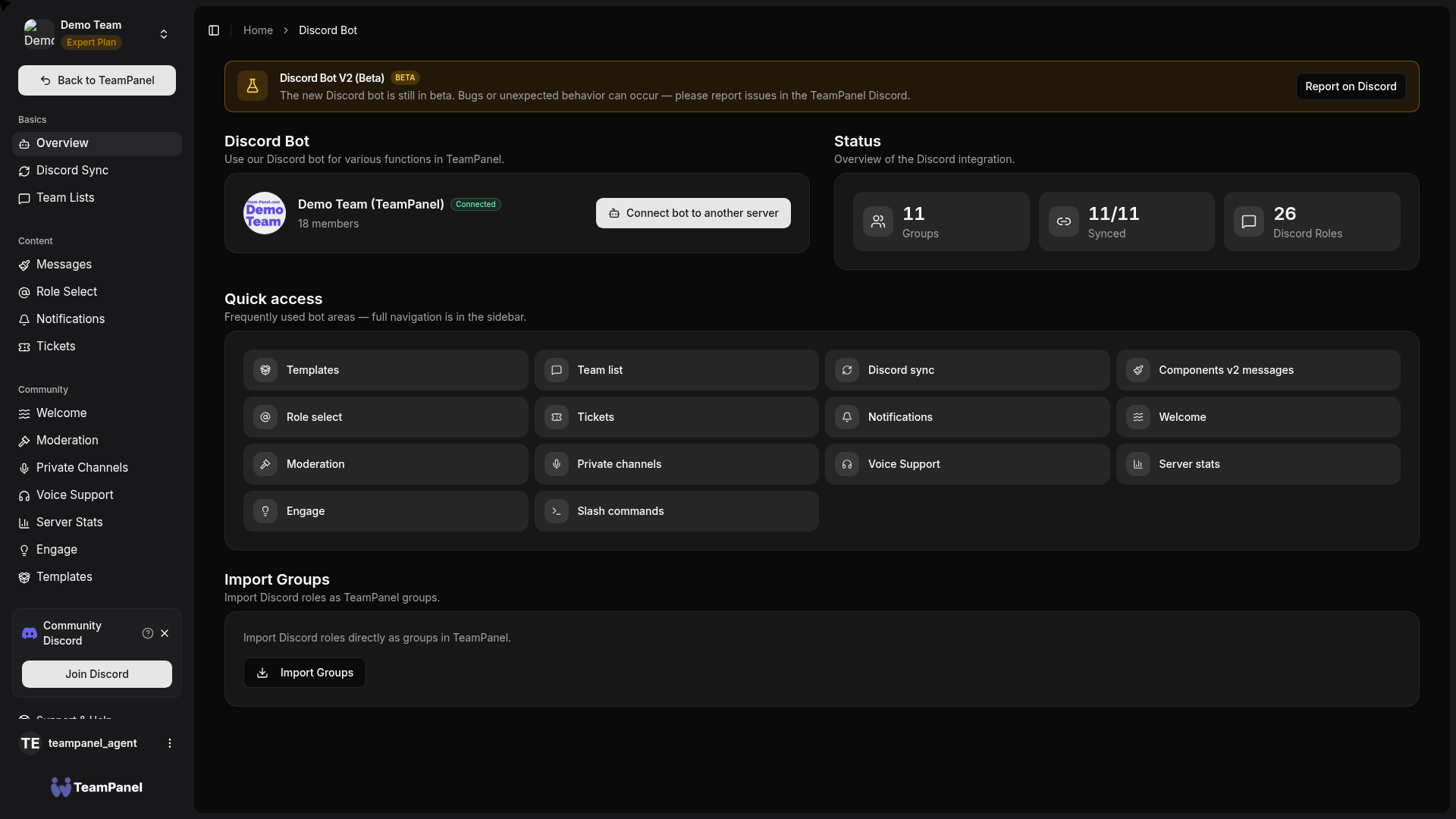
Der TeamPanel Discord-Bot verbindet dein Team mit einem Discord-Server. Die Konfiguration läuft unter Discord Bot (/bot) in einer eigenen Sidebar (Discord Bot V2, Beta).
Beta
Discord Bot V2 ist in der Beta. Fehler bitte im TeamPanel Discord melden.
Bereiche in der App
| Bereich | Pfad | Beschreibung |
|---|---|---|
| Übersicht | /bot | Bot verbinden, Status, Gruppen-Import, Quick Access |
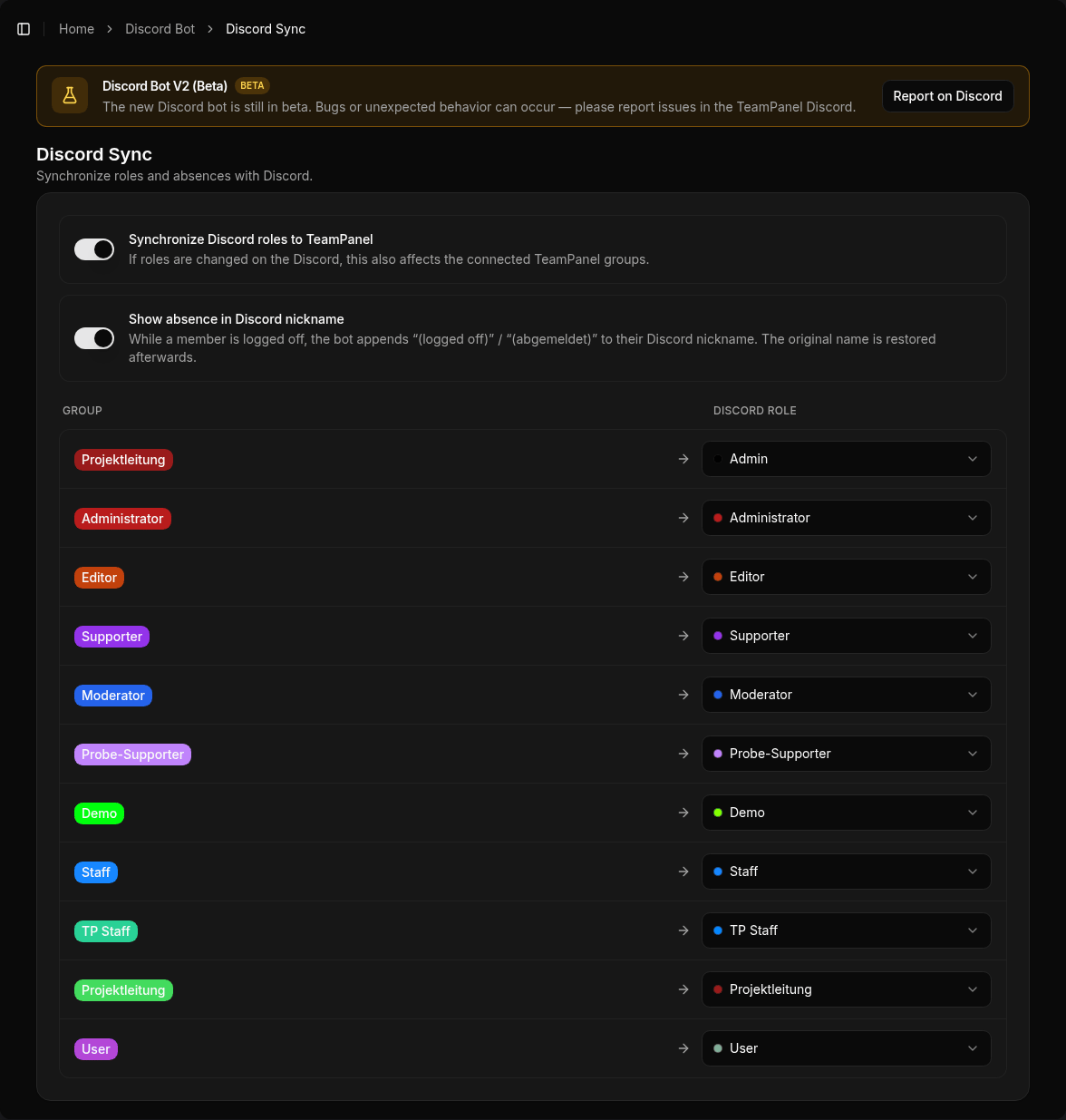
| Discord Sync | /bot/discord-sync | Gruppen ↔ Rollen, optional Zwei-Wege-Sync |
| Team-Listen | /bot/team-list | Dynamische Team-/Mitglieder-Embeds |
| Messages | /bot/messages | Components-v2-Nachrichten |
| Role Select | /bot/role-panels | Self-Assign-Rollenpanels |
| Notifications | /bot/notifications | Verweis auf Automatisierung |
| Tickets | /bot/tickets | Panels, Kategorien, Automationen, Transcripts, Staff-Stats |
| Welcome | /bot/welcome | Verifizierung (inkl. Review) + Join/Leave/Boost + Auto-Rollen |
| Moderation | /bot/moderation | Logging, /mod, Image Guard, Server Protection, Sticky-Rollen |
| Private Channels | /bot/temp-voice | Temp-Voice über Creator-Channel, Owner-Controls |
| Voice Support | /bot/voice-support | Mehrere Räume, Duty, Claim, /support |
| Server Stats | /bot/server-stats | Live-Zähler (Mitglieder, Online, Boosts, Bots, Rollen) |
| Engage | /bot/engagement | Vorschläge, Umfragen, Giveaways, Team-Aktivität |
| Templates | /bot/templates | Offizielle & Community-Setups anwenden |
| Slash Commands | /bot/slash-commands | Befehlsübersicht im Dashboard |
Erste Schritte
- Bot hinzufügen
- Rollen-Sync einrichten
- Je nach Bedarf: Tickets, Welcome, Moderation, …
Hinweis
Rollen-Sync und erweiterte Limits hängen vom Plan ab. Details auf der Preisseite.