

Tickets
Ticket panels, categories, claim/close, transcripts, and staff stats in the Discord bot.
Tickets
The ticket system lets users open private support channels from a Discord panel. Staff claim and close tickets; transcripts and ratings can be reviewed in TeamPanel.
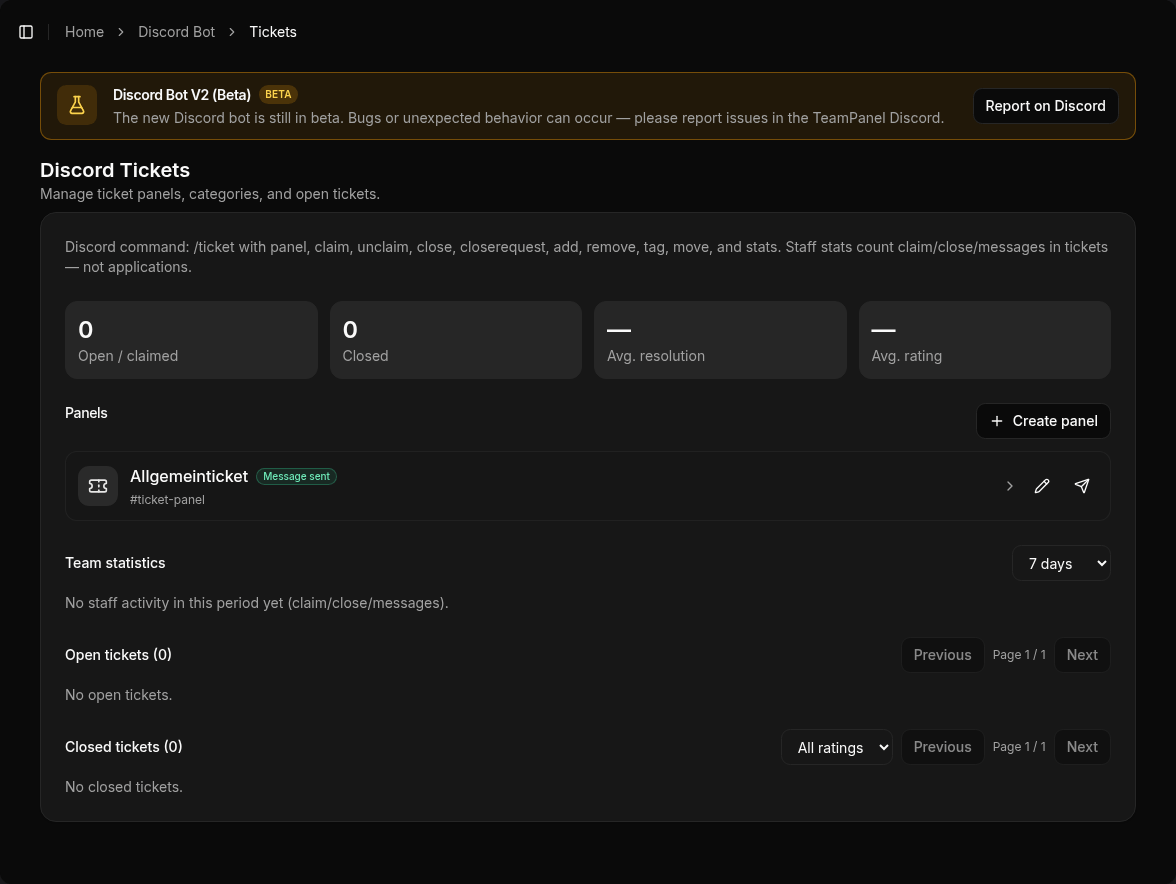
Configure at App → Discord Bot → Tickets (/bot/tickets).
Beta
Discord Bot V2 is in beta. Please report unexpected behavior in the TeamPanel Discord.
What you set up
- Create a panel – categories/buttons, panel channel, optional forms
- Send the panel – post (or resend) the select/button message to Discord
- Staff access – team roles that can view, claim, and close tickets
Flow in Discord
| Action | How |
|---|---|
| Open ticket | User picks a category on the panel |
| Claim | Button in the ticket or /ticket claim |
| Unclaim | Button or /ticket unclaim |
| Close | Button / /ticket close (optional reason) |
| Close request | User or staff requests closing |
| Members | /ticket add / remove |
| Tag / move | /ticket tag, /ticket move |
| Forward | /ticket forward (user, role, or category) |
| Notes | /ticket notes — private staff thread |
| Pause automations | /ticket disableautoactions |
| Alert | /ticket alert — ping the creator before auto-close |
| Stats | /ticket stats or staff stats in the dashboard |
Transcripts are created via ticket buttons (e.g. save on close), not a separate /transcript command.
Panel options
In the panel editor, among others:
- Display — pick a category via select menu or buttons
- Utilization limit — caps visible/open tickets on the panel (0 = do not show)
- Blocklist roles — these roles cannot open tickets
- Claim category — move claimed tickets into another Discord category
- Welcome message — posted in the ticket channel (no DM); overridable per category
- Tags — canned replies staff can post with
/ticket tag
Categories
Per category:
- Staff roles — access to new tickets
- Required roles — user needs at least one of these to open
- Ping roles — mentioned extra when a ticket opens
- Cooldown and total limit — wait time and max tickets in this category
- Open form — Discord modal before open (short, paragraph, select; max. 5 questions)
- Close and rating forms — questions on close and after close
- Welcome override — category-specific welcome instead of the panel default
Automations
Optional per panel:
| Automation | Effect |
|---|---|
| Inactivity ping (alert) | pings the creator after X minutes without activity |
| Team alert | pings staff when the ticket needs attention |
| Auto-unclaim | releases the claim after X minutes without staff activity |
| Claim on staff message | first staff member to write claims automatically |
| Auto-close | closes inactive tickets after X hours (since activity or open) |
| Close after close-request | a confirmed close request closes immediately |
| Creator silent | closes if the creator stops answering |
Staff can temporarily disable automations in a ticket with /ticket disableautoactions.
Dashboard
On the Tickets page you can see:
- open / closed tickets
- panels and send status
- staff activity (claim/close/messages) for a selected period
- optional average rating after ticket close
Related
- Bot commands –
/ticketoverview - Message Content Intent – why transcripts need the intent